New Product · 2026

KD61B

vMix Slow-Motion Replay Control Panel

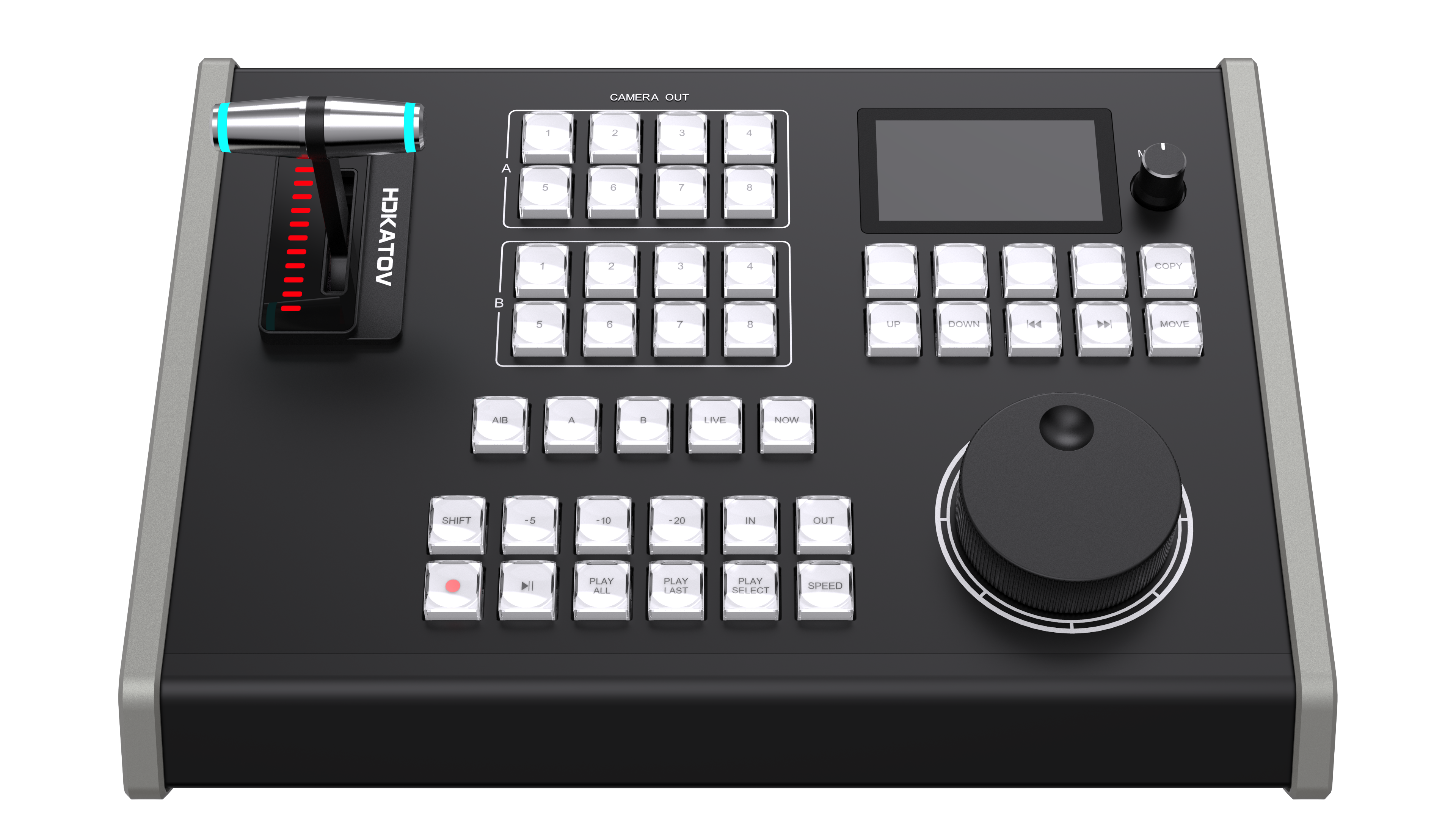
The next-generation replay controller built for live production professionals — featuring a 3-inch LCD display, 4-speed jog wheel, TCP network protocol, and 24 fully customizable button actions.
8 Replay Channels 3" LCD Display 4-Speed Jog Wheel TCP + USB-MIDI PoE Powered 6 Menu Languages
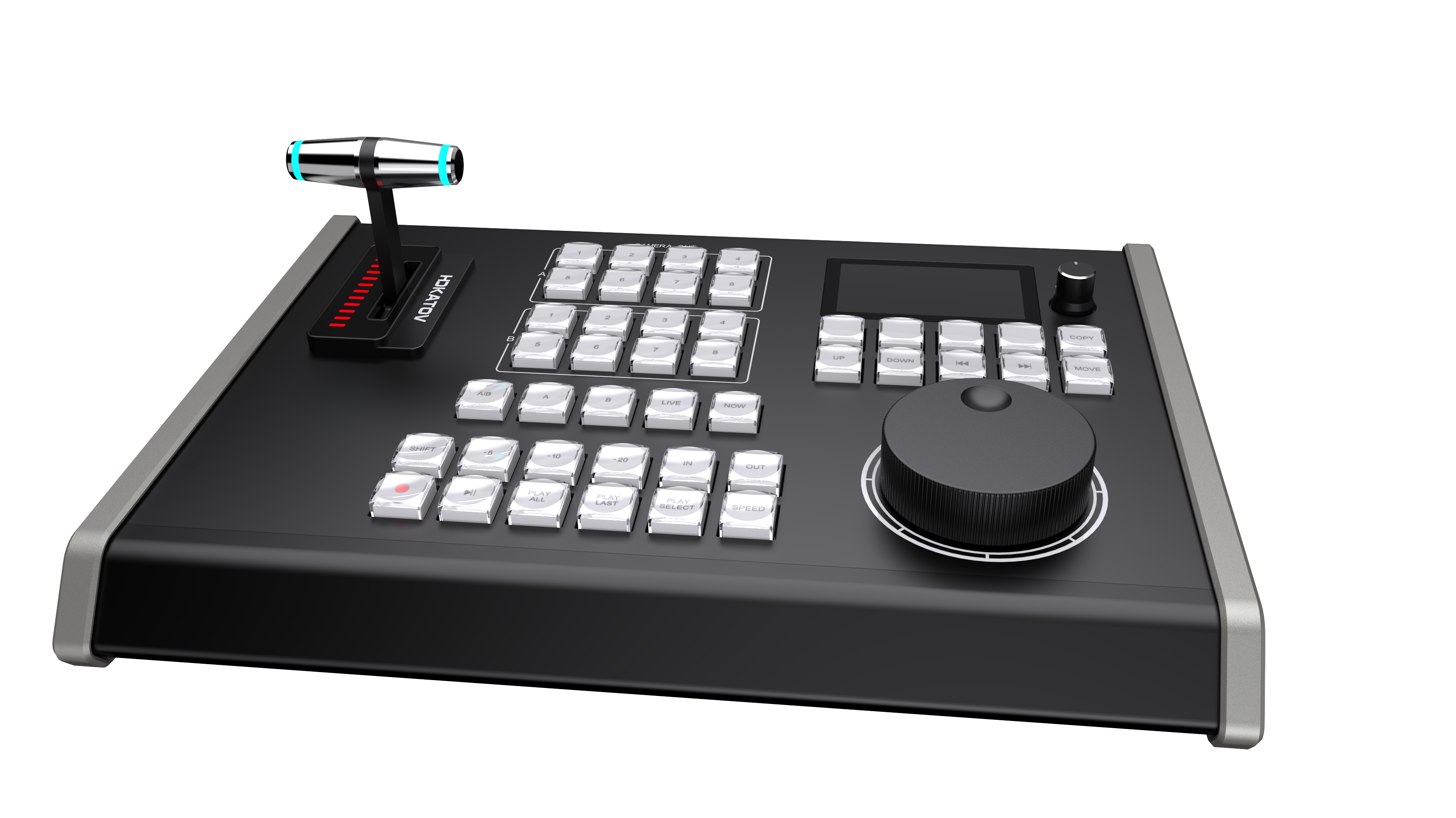
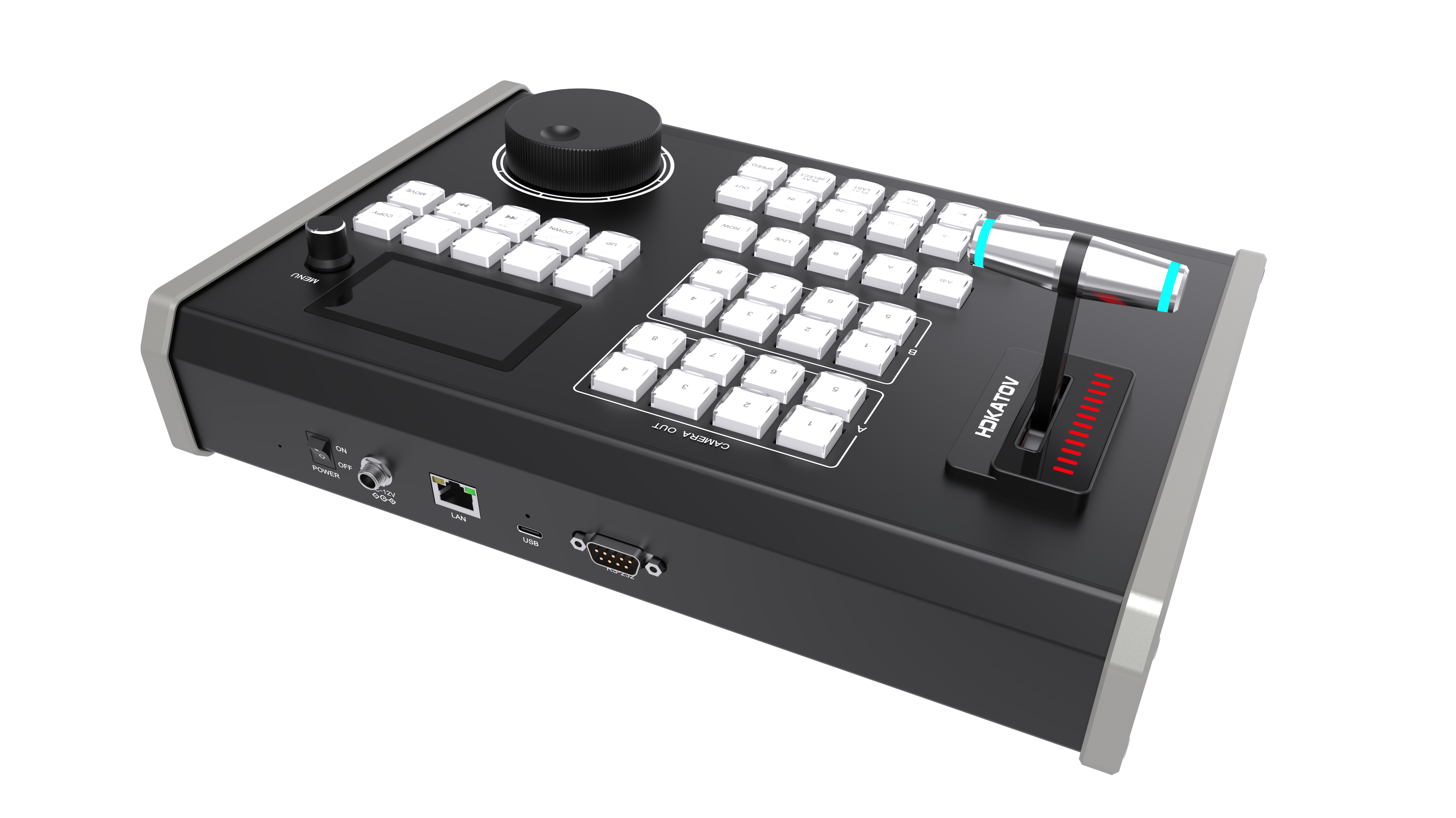
KD61B Control Panel
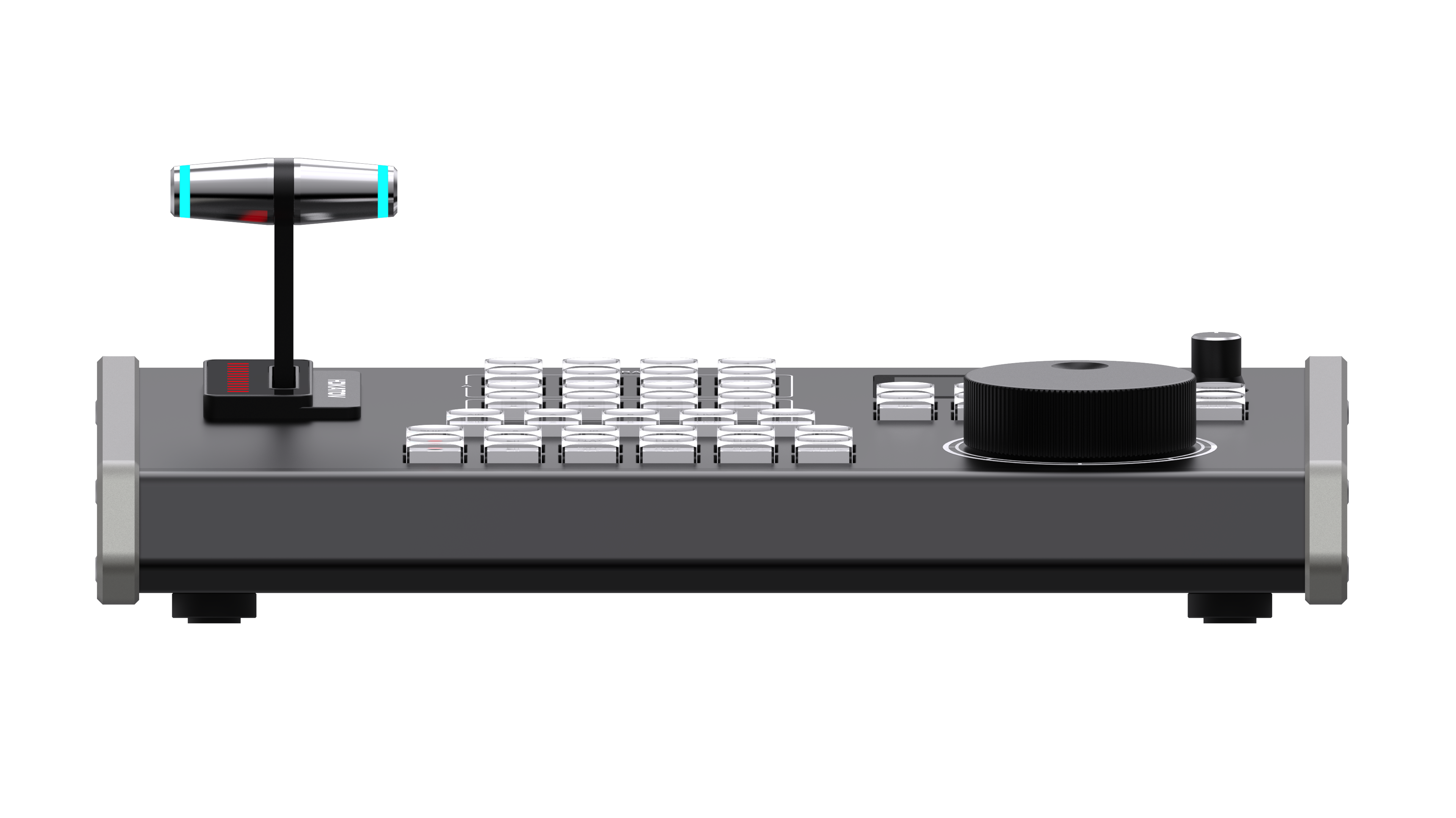
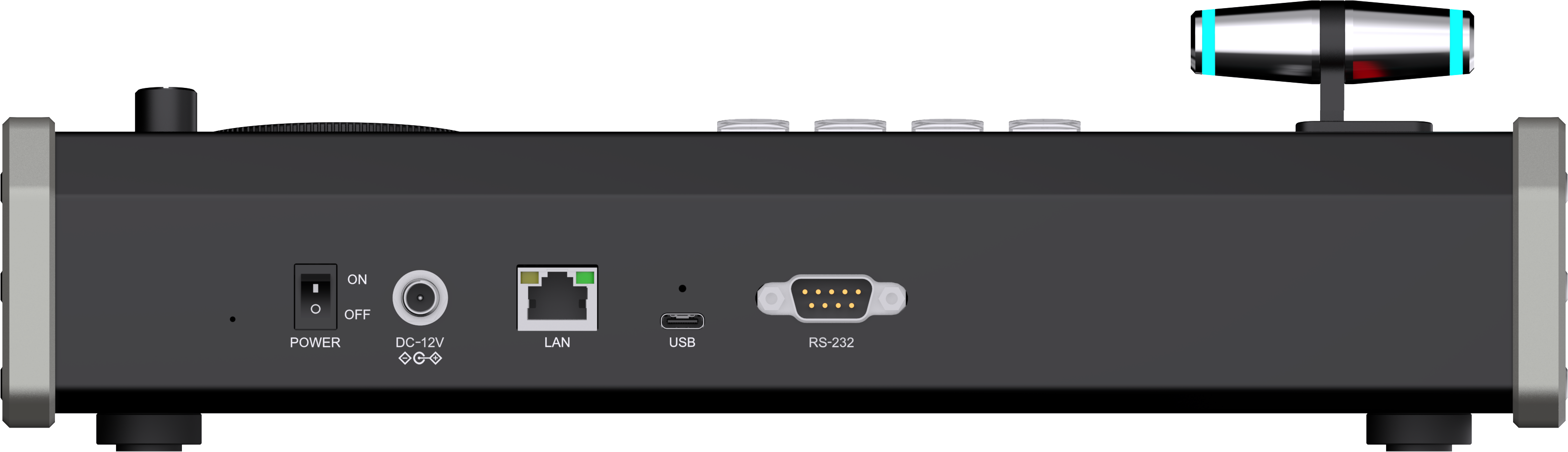
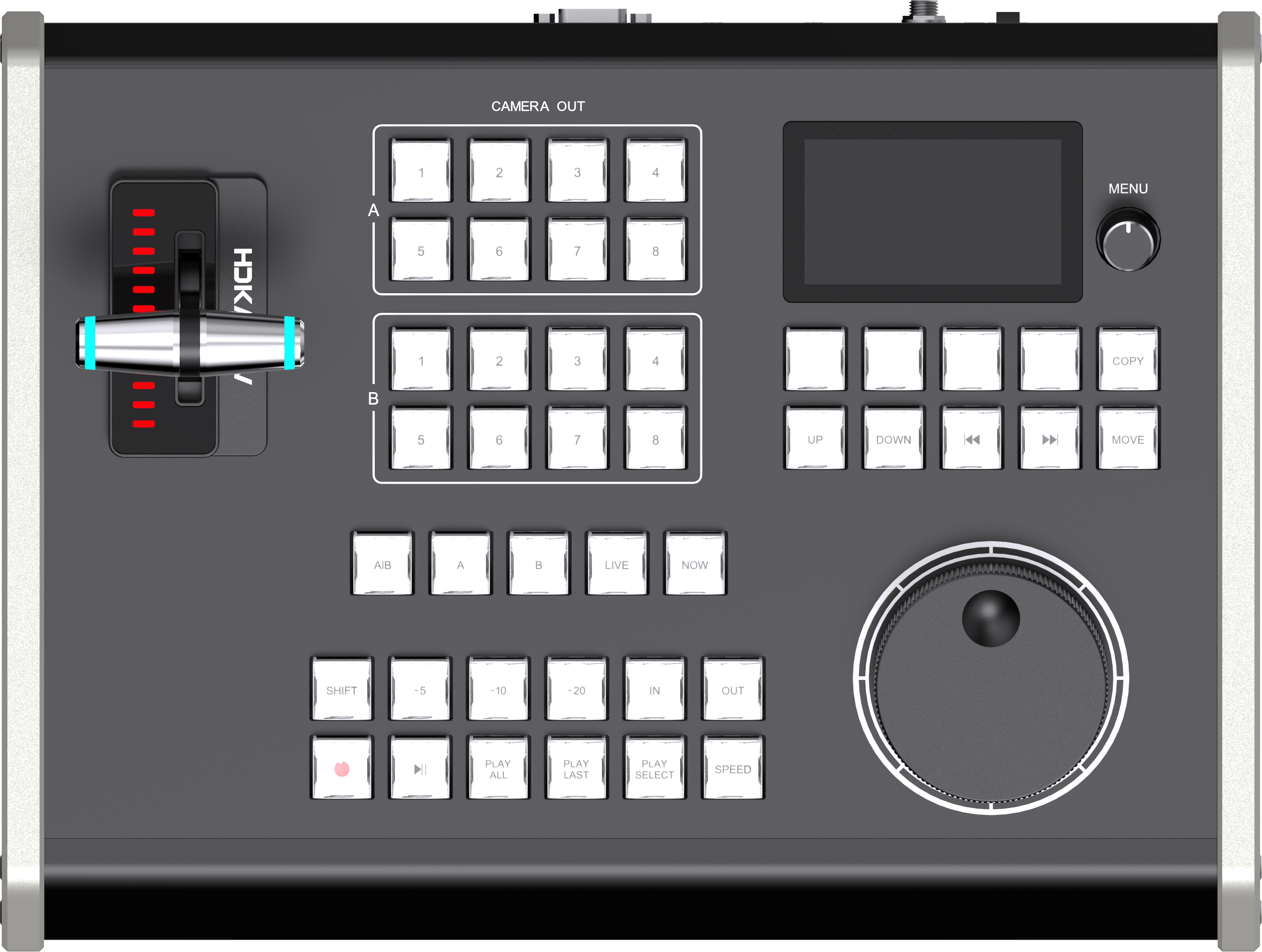
Perspective 1Perspective 2Front ViewFrontTop ViewAerial View
8
Replay Channels
Variable Jog Speeds
3"
LCD Display
24
Custom Button Actions
6
Menu Languages
3
Power Options
Core Capabilities

Basic Functions

Complete vMix slow-motion replay control from a single panel. Every function you need for professional live replay production.

🎬

IN / OUT Marking & Quick Mark

  • IN point marking — set clip start frame
  • OUT point marking — set clip end frame
  • Update selected IN / OUT point (SHIFT mode)
  • Quick Mark: record last -5 seconds
  • Quick Mark: record last -10 seconds
  • Quick Mark: record last -20 seconds
  • IN record → play from OUT point
▶️

Playback Control

  • Play / Pause toggle
  • Play All Events To Output
  • Play Last Event(s) To Output
  • Play Selected Event To Output (SHIFT)
  • LIVE toggle — switch to live feed
  • Jump to NOW — sync to live position
📋

Event List Management

  • 8 independent event list selections (1-8)
  • SHIFT + 1-8 for event lists 5-8
  • Navigate: previous / next event
  • Jump to first event / last event
  • MOVE selected event to another list
  • COPY selected event to another list
📹

8-Channel Camera Selection

  • Dedicated buttons for cameras 1-8
  • A-channel: ReplayACamera 1-8
  • B-channel: ReplayBCamera 1-8 (SHIFT)
  • Toggle last event camera (SHIFT A-channel)
  • Toggle selected event camera (SHIFT B-channel)
  • A|B dual-channel simultaneous control

Speed Control — T-BAR & Jog Wheel

  • T-BAR: analog speed control 0% - 100%
  • T-BAR LED progress bar indicator
  • Jog Wheel: forward (clockwise) / backward
  • 4-speed Wheel: 1× / 2× / 3× / 4×
  • SPEED button to cycle through wheel speeds
⏺️

Recording & Channel Logic

  • Start / Stop recording with dedicated button
  • SHIFT key: enable / disable SHIFT mode
  • A|B: select both channels simultaneously
  • A button: select A channel only
  • B button: select B channel only
  • Rotary knob for menu navigation
Advanced Feature

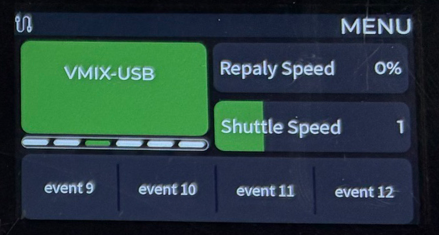
3-Inch LCD Display

KD61B introduces a dedicated 3-inch color LCD screen (640×360) that gives operators instant visual feedback — no more guessing the current state of your panel.

Screen Size
3 Inches
Resolution
640 × 360
Shows Protocol
Network / USB icon
Shows Speed
0-100%, 1% step
Shows IP Address
vMix TCP target
Custom Button Names
4×6 pages on LCD
KD61B LCD Screen Display
What Sets KD61B Apart

Advanced Advantages

KD61B builds upon KD61A with significant hardware and software upgrades designed for modern IP-based live production workflows.

KD61B Front View
🌐
TCP Network Protocol — IP-Based Deployment
KD61B fully activates the LAN port with TCP control support. Control vMix over the network without a direct USB cable — perfect for IP-based live production environments.
⚙️
24 Custom Button Actions via Web Backend
Configure 4 physical buttons across 6 pages through a web interface. Assign any vMix command without being limited by physical button layout.
🔄
Web-Based Firmware Upgrade
Upgrade firmware directly from the web backend for field-friendly maintenance.
🌍
6 Menu Languages
Built-in support for Simplified Chinese, English, Japanese, Korean, Russian, and Portuguese.
💡

RGB Keys + Adjustable Brightness

Full RGB crystal buttons with 3 brightness levels for clear operation in any lighting environment.

🔌

USB Type-C (3.0)

Upgraded from Type-B USB 2.0 to Type-C USB 3.0 for faster, more reliable data transfer.

Triple Power Options

Power via USB, PoE, or DC 12V adapter for easier deployment.

🎛️

Rotary Navigation Knob

A dedicated rotary knob for intuitive menu navigation and settings.

📊

T-BAR LED Progress Bar

Visual LED strip on the T-BAR shows exact replay speed position.

🚀

4-Level Variable Jog Wheel

Upgraded from 2-speed to 4-speed for more precise frame search.

🖥️

Silver-Gray Aluminum Body

Refined aluminum alloy chassis for studio and broadcast environments.

📡

PoE Single-Cable Deployment

TCP + PoE means one CAT cable handles both control and power.

WEB BACKEND — CUSTOM BUTTON CONFIGURATOR
Page 1
Page 2
Page 3
Page 4
Page 5
Page 6
MARK IN
MARK OUT
PLAY
LIVE
4 physical buttons × 6 pages = 24 total assignable actions
Advanced Feature

Customizable Function Buttons

KD61B gives operators complete flexibility to map any vMix action to the 4 dedicated physical buttons — across 6 configurable pages accessed directly on the panel.

  1. Connect KD61B to your network via LAN or USB
  2. Open the web backend interface in any browser
  3. Navigate to the "Custom Buttons" configuration page
  4. Assign any vMix command to each of the 4 buttons per page
  5. Save — button names instantly appear on the LCD display
  6. Switch pages directly on the panel with one button press
Connectivity

Dual Protocol Support

KD61B supports both traditional USB-MIDI and modern TCP network control — giving you flexibility for any production setup.

🌐

TCP / LAN Network Control

Control vMix over IP using TCP protocol via the RJ45 LAN port. Ideal for IP-based live production with flexible cable routing.

New in KD61B
🔌

USB-MIDI (Type-C USB 3.0)

Direct USB connection using USB-MIDI protocol. Fully compatible with vMix and any MIDI-capable software.

Standard
🎵

RS-232 (Reserved)

RS-232 serial port is reserved for future expansion and compatibility with legacy broadcast equipment.

Reserved
Power & Connectivity

Flexible Power Options

Three power methods to adapt to any deployment scenario — from compact single-cable setups to dedicated power supplies.

💻

USB Power (5V)

Power directly from any USB port on your computer or hub.

Input: USB 5V / 0.15A
🔗

PoE — Power over Ethernet

One CAT cable delivers both network control and power simultaneously.

New in KD61B
🔋

DC 12V Adapter

Dedicated power port for reliable standalone power.

Input: DC 12V / 0.5A
Applications

Designed for Live Production

KD61B excels wherever instant replay and slow-motion review are critical to the live experience.

🏟️

Sports Events

Instantly replay key moments, disputed calls, and highlight plays with quick last-5 / -10 / -20 second capture.

Contested CallsGoal ReviewHighlight Replay
🎮

Esports Broadcast

Capture kills, clutch moments, and decisive team fights for instant slow-motion replay.

Kill HighlightsTeamfight ReplayClutch Moments
📡

Live Broadcast & Concerts

Replay artistic highlights, audience reactions, and performance moments in larger venue productions.

Performance ReplayMulti-OperatorIP Production
Technical Specifications

Product Specifications

Full technical specifications for the KD61B vMix Slow-Motion Replay Control Panel.

SpecificationDetail
Product NameKD61B — vMix Slow-Motion Replay Control Panel
Compatible SoftwarevMix (TCP & USB-MIDI)
Replay Channels8 channels (A/B dual-camera)
Display3-inch LCD, 640 × 360 resolution
Buttons42 keys — RGB backlit crystal, adjustable brightness
Customizable Buttons4 physical buttons, 6 pages via web backend = 24 total actions
Jog Wheel4-speed variable: 1× / 2× / 3× / 4×
T-BARAluminum alloy, 0%-100% speed control, LED progress bar
Control ProtocolsUSB-MIDI + TCP (LAN) / RS-232 reserved
USB InterfaceUSB 3.0 Type-C × 1
Network InterfaceRJ45 × 1 (LAN, TCP enabled, PoE supported)
Power SupplyUSB 5V / PoE / DC 12V
Dimensions326 × 246 × 103 mm
Weight3.5 kg
Menu LanguagesSimplified Chinese / English / Japanese / Korean / Russian / Portuguese
Firmware UpgradeWeb backend (OTA)
Get KD61B

Ready to Upgrade Your Replay Workflow?

KD61B brings IP-based replay control, real-time LCD feedback, and full button customization to your live production setup.

Talk for Replay Advice How to Use with vMix Compare with KD61A