Live Streaming Solution

A complete live streaming system, mapped before you buy

See the signal flow, recommended equipment, and realistic budget tiers for a small-team live production. Works for worship, conferences, concerts, education, sports, and corporate streams.

Common Use Cases
Worship Conference Concert Education Sports Corporate
10+
Recommended components
3
Budget tiers, $3K to $20K+
Signal Flow

From venue inputs to streaming platform output

Video Audio Switching Network Internet
Live Streaming Solution A standard small-team workflow from input devices to switching, encoding, monitoring, and online delivery. Main Camera (PTZ / Stage) Wide Camera (Audience / Room) Close-up Camera (Speaker) Audio Mixer (Soundboard) Video Switcher (ATEM / vMix) Streaming Encoder (Computer / Appliance) Confidence Monitor (Operator View) Audio Monitor (Headphones) Internet (Upload) Streaming Platform (YouTube / Facebook) HDMI / SDI HDMI / SDI HDMI / SDI XLR / TRS HDMI / USB Ethernet RTMP / RTMPS HDMI Audio Out

Input Devices

Cameras, microphones, and audio sources capture the service.

Processing

Switcher and encoder combine the program feed, overlays, recording, and platform output.

Output / Distribution

Stream is sent to streaming platforms and monitored locally by the operator team.
Equipment

Recommended hardware, grouped by signal role

Video Cameras

Main PTZ Camera

Pan-Tilt-Zoom camera for stage, podium, and presenter tracking.

Examples: PTZOptics Move 4K, Sony SRG-A40, Canon CR-N300

$1,500 - $4,000

Wide-Angle Camera

Static camera for audience, full-stage, and room coverage.

Examples: Canon VIXIA HF G70, Sony AX53, Panasonic HC-X1500

$800 - $2,500

Close-Up Camera

Additional speaker close-up or instrument and detail camera.

Examples: Blackmagic Studio Camera 4K Pro, Sony A7 III, Canon EOS R6

$1,200 - $3,500

Audio Equipment

Audio Mixer Feed

Main soundboard output routed into the livestream chain.

Examples: Behringer X32, Allen & Heath SQ-5, Yamaha TF3

$2,000 - $5,000

Wireless Microphones

Lavalier and handheld microphones for presenters, speakers, and performers.

Examples: Shure ULXD, Sennheiser EW-D, Audio-Technica 3000

$500 - $1,500 each

Audio Interface

USB or analog interface to bring the program mix into the encoder system.

Examples: Behringer UMC404HD, Focusrite Scarlett 18i8, MOTU M4

$150 - $500

Video Switching & Processing

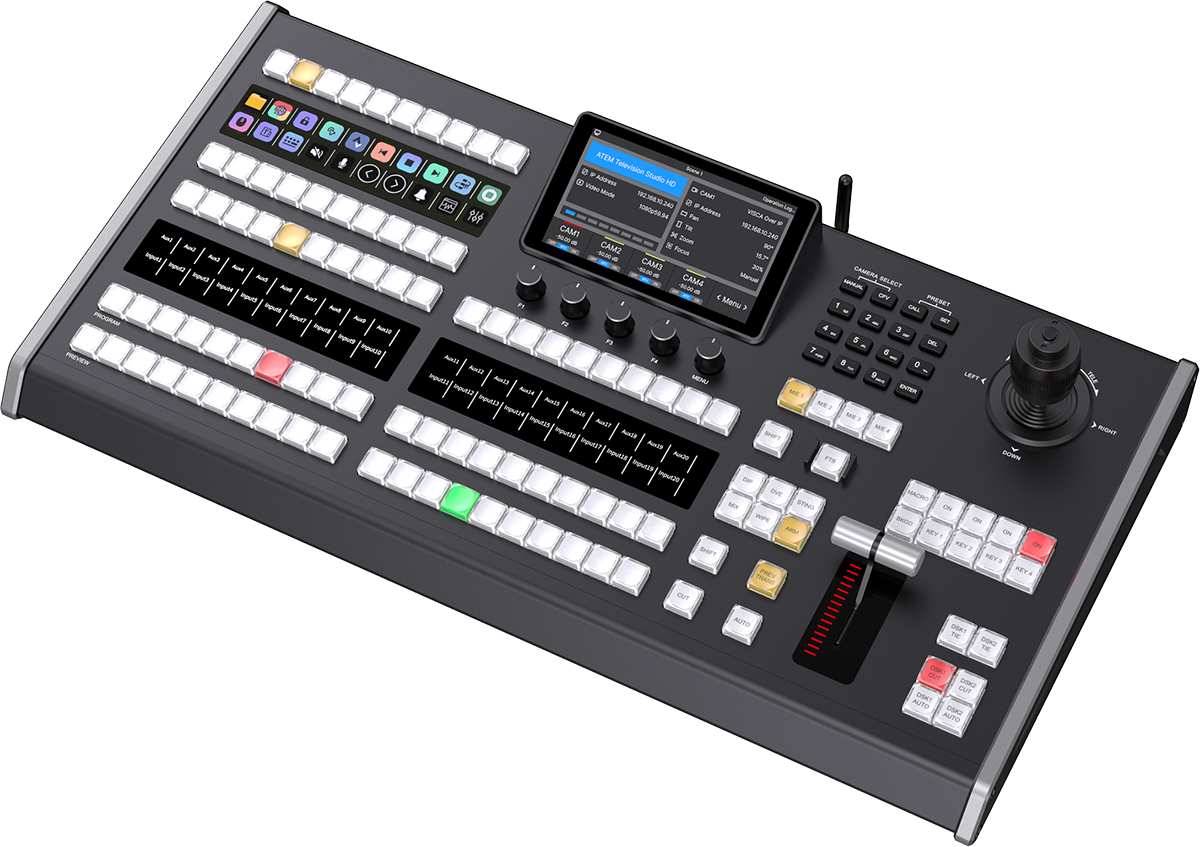
Video Switcher

Multi-camera switching with transitions, lower thirds, and confidence monitoring.

Examples: Blackmagic ATEM Mini Extreme ISO, Blackmagic ATEM Television Studio HD8 ISO, vMix software

$500 - $3,000

Streaming Encoder / Computer

Hardware or software encoder to produce, compress, and send the livestream.

Examples: Dedicated PC, vMix / OBS workstation, Magewell Ultra Encode

$1,000 - $2,500

Network & Connectivity

Cables & Adapters

HDMI, SDI, XLR, ethernet, and conversion accessories for stable installation.

Examples: HDMI runs, SDI cable, XLR patching, USB capture, converters

$200 - $800

Network Switch / Router

Gigabit switch for NDI cameras, encoder traffic, and control devices.

Examples: Netgear GS308, Ubiquiti UniFi Switch Lite, TP-Link TL-SG108

$50 - $300

Internet Connection

Dedicated upload headroom for stable streaming and remote monitoring.

Examples: Minimum 10 Mbps upload, 25+ Mbps recommended for 1080p reliability

$50 - $200 / month
Budget Tiers

Realistic setup cost by ambition level

These ranges include cameras, switching, encoding, and core audio. Final pricing depends on your room, existing gear, and crew size.

Basic Setup

Smaller venues getting started

$3,000 - $6,000
  • 1-2 cameras
  • Basic switcher
  • Software encoder
  • Essential audio feed

Professional Setup

Multi-cam, broadcast-style workflows

$20,000+
  • 4+ cameras or NDI cameras
  • Advanced switcher workflow
  • Redundant systems
  • Broadcast-grade audio routing
Planning Checklist

Things to plan for before going live

The room and the crew matter as much as the gear. Walk through each of these before locking down a final setup.

Internet Upload Speed

Minimum 10 Mbps upload for 1080p streaming, 25+ Mbps recommended for stability.

Backup Power

Consider UPS power backup for switcher, encoder PC, and network equipment during outages.

Lighting

Good venue lighting improves camera quality far more than buying another random accessory.

Training

Budget time for operators and volunteers to learn switching, scene changes, and platform monitoring.

Platform Accounts

YouTube Live and Facebook Live are common defaults; Vimeo, Restream, and custom RTMP destinations are paid alternatives.

Rights & Licensing

Make sure music, lyrics, and any copyrighted material are properly licensed for online streaming.

Need a recommendation for your live setup?

Send your venue size, camera count, operator or volunteer skill level, and current switcher or audio situation. We can recommend a cleaner livestream architecture and the right control workflow for your team — whether it is a worship service, conference, concert, classroom, sports broadcast, or corporate event.